
Your team already runs on WhatsApp, so adding another dashboard nobody opens is a hard sell. Task management tools fail when they live somewhere your field staff and coordinators do not. This guide walks through what actually matters when picking AI task automation.
By the end, you will know how to judge AI task creation from voice notes, which automation features cut real follow-up work, and what pricing and security signals to check before committing. You will also see how Tasks.Bot handles these decisions for WhatsApp-first teams.
What Is Tasks.Bot? The AI Task Management Tool That Lives in WhatsApp
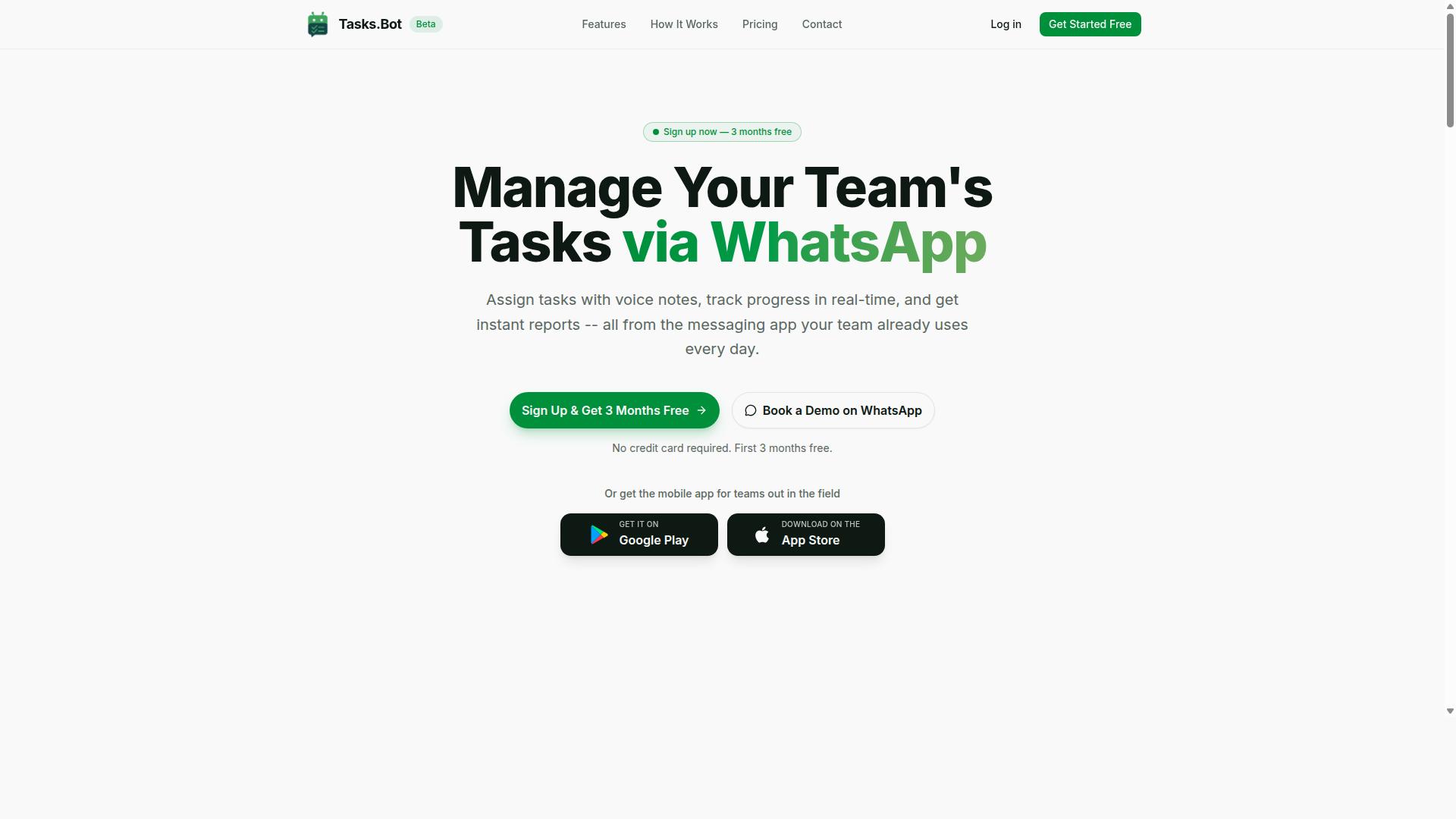
Tasks.Bot is a task management platform that operates entirely within WhatsApp, enabling teams to assign tasks, track progress, and receive reports without leaving the messaging app. It is a cloud-based SaaS solution, so there is nothing to install on a server and no lengthy IT rollout to plan.
The core idea is simple. Instead of asking every team member to download new project management software and create yet another account, everything happens inside WhatsApp. The tool meets people in an app they already open dozens of times a day, which removes one of the biggest barriers to adoption for any AI task management automation tool.
For teams that spend their day away from a desk, Tasks.Bot also offers a mobile app for field teams. The service is currently in beta and is used by hundreds of teams, with a free trial period available for those who want to evaluate it before committing.
Who Tasks.Bot Serves: Teams With Field Staff and WhatsApp-First Workflows
Tasks.Bot is designed for teams that rely on WhatsApp for communication, especially those with field staff who need to manage tasks, track attendance, and log hours. These are groups where work happens on the move, not at a desktop, and where asking people to learn a separate productivity platform often leads to low usage and abandoned rollouts.
The platform fits industries such as field services, logistics, and sales teams, where a supervisor needs to send a job, confirm it was done, and keep a record of who was on site and for how long. Attendance tracking and payroll-ready hours matter here because they feed directly into how people get paid.
Because the workflow lives in WhatsApp, the adoption barrier drops. There are no new logins to remember and no separate inbox to check. The service is already used by hundreds of teams, which suggests the WhatsApp-first approach resonates with organizations that tried traditional project management software and found it too heavy for mobile, distributed work.
Why Tasks.Bot Is a Smart Choice for AI Task Management Automation
Tasks.Bot stands out in the crowded AI task management space by embedding automation directly into WhatsApp, the app your team already uses daily. Instead of asking people to install another app, remember another password, or check another dashboard, it turns an ordinary chat thread into a working task system. Team members don't need to install anything or create new accounts, which removes the single biggest obstacle to adoption: getting everyone to actually use the tool.
The AI layer is what separates it from a simple to-do list. Tasks.Bot uses AI to understand natural language and voice notes for task creation, so a manager can type a quick instruction or send a voice message and have it captured as a structured task. For teams working in the field, that matters more than any dashboard. Field staff can log attendance with face-verified attendance and live GPS tracking, and the platform automates deadlines, approvals, and reports so follow-ups happen without someone chasing them manually.
Compare that with traditional project management software, which typically assumes a desktop-first workflow, a separate login, and a habit of switching between tools. Those platforms can be powerful, but every extra login and app is friction that shows up as late updates and incomplete records. Tasks.Bot sidesteps that by keeping work where conversations already happen, and it backs the convenience with enterprise-grade encryption. Conversations and task data are never shared or used for training. Teams can evaluate the fit through a 3-month free trial with no credit card required.
Key Features and What Makes Tasks.Bot Stand Out
Tasks.Bot packs a comprehensive set of features designed to streamline task management, automation, and field operations, all accessible through WhatsApp. Rather than forcing teams into yet another dashboard, it works inside the messaging app most people already check dozens of times a day.
The feature set falls into three practical categories: AI task creation, automation essentials, and field team tools. Each category solves a different layer of the coordination problem, from capturing a request the moment it is spoken to proving that a job was actually completed on site.
All of these capabilities are included in the Full Access plan. The sections below break down what each one does and why it matters when you are comparing AI task management automation tools.
AI Task Creation From Natural Language and Voice Notes
Creating tasks in Tasks.Bot is as simple as sending a WhatsApp message or voice note, thanks to advanced natural language processing. The system uses artificial intelligence to understand user intent, so you do not have to fill in a form or pick from dropdown menus.
This approach removes the friction that kills most task management habits. Manual data entry disappears, and assignment happens in seconds rather than minutes.
For buyers evaluating workflow automation, this is often the deciding factor. A tool that captures tasks naturally gets used. One that demands discipline usually does not.
Automation Essentials: Smart Deadlines, Approvals, and Instant Reports
Tasks.Bot automates critical workflow steps, from setting smart deadlines to routing approvals and generating instant reports. Smart deadline reminders adapt to what is actually happening, so due dates stay realistic instead of piling up unnoticed.
Approvals follow a clear path. A task can be set to require manager sign-off, and the system sends reminders as the deadline approaches. If the approval stalls, it escalates automatically, which means nothing sits forgotten in someone's queue.
Instant reports arrive through WhatsApp as daily or weekly summaries covering task completion, pending items, and team performance. Here is how a typical multi-step workflow runs:
- A technician submits a completed job through WhatsApp
- The task routes to a manager for approval
- Reminders fire if the approval is not actioned in time
- The weekly report reflects the closed task and the team's output
Each step replaces a manual follow-up someone used to perform. Across a busy project, those saved check-ins add up to hours every week, and progress stays visible without anyone chasing updates.
Field Team Tools: GPS Task Mapping, Live Day Tracker, and Face-Verified Attendance
For teams with field staff, Tasks.Bot offers specialized tools like GPS task mapping, a live day tracker, and face-verified attendance to ensure accountability and efficiency. These features are available in the mobile app, alongside push notifications, voice capture, and a home screen widget.
GPS task mapping ties each job to a location. Field staff can view their assigned tasks on a map and log visits as they go, which gives managers a clear record of where work happened rather than a verbal summary at the end of the week.
The live day tracker shows real-time progress of field staff throughout the day. Managers can see who is on schedule and who needs support before a delay becomes a missed appointment.
Face-verified attendance handles check-in through facial recognition, which prevents buddy punching and keeps timesheets honest. Consider a field service team handling maintenance calls: dispatch assigns jobs by location, technicians log each visit through the app, attendance verifies who actually showed up, and the day tracker flags anyone falling behind. The result is fewer disputes, faster invoicing, and a record that stands up to scrutiny.
Pricing and Plans: Transparent Costs With a Generous Free Start
Tasks.Bot offers a straightforward pricing model with a single 'Full Access' plan that includes all features, priced at ₹200 per member per month or ₹1,200 per member per year. There are no confusing tiers, no feature gates, and no upsells to decode. Every capability the platform offers sits inside that one plan.
The annual option works out to a 50% saving compared with paying month by month, which means a team member effectively costs ₹100 per month on the yearly plan. Pricing is shown in both Indian Rupees and US Dollars, and a currency selector on the site lets buyers confirm which one applies to them before committing. That matters for teams spread across regions, since exchange rates and local billing preferences can otherwise turn a simple purchase into an accounting headache.
New users also get 3 months free, with no credit card required and the freedom to cancel at any time. Because the service is currently in beta, it may carry special offers or free access periods on top of the standard plan. Anyone weighing the cost should check the footer, where the refund policy is published, before entering payment details.
How This Compares to the Alternatives
Set the subscription against the alternatives and the maths becomes easy to follow. A full-time project manager represents a significant ongoing salary, while stacking several separate project management software subscriptions adds up quickly once each tool charges per seat. Tasks.Bot replaces that patchwork with one line item per member.
- One plan, one price: no per-feature add-ons to budget for
- Annual discount: 50% off versus monthly billing
- Zero upfront risk: 3 months free, no card needed
- Flexible exit: cancel anytime, refund terms in the footer
For a buyer working through this buyer's guide, the practical question is not whether a tool is cheap but whether its cost is predictable. A per-member rate that covers every feature makes forecasting simple, and it removes the awkward internal debate about who gets access to which module. Teams evaluating AI task management automation tools should treat that clarity as a genuine advantage, not a minor detail.
The beta status is worth noting for budget planning. Early participants sometimes receive terms that later adopters do not, so it is sensible to review the current offer directly rather than assume the listed price is the final word. Either way, the structure stays transparent: one plan, two currencies, a free start, and published refund terms.
Trust Signals: Security, Track Record, and Refund Policy
Tasks.Bot demonstrates trustworthiness through its security measures, track record with hundreds of teams, and a clear refund policy. When you evaluate AI task management automation tools, the buyer's guide question is not only what the software does, but whether the vendor can be trusted with your team's work. Tasks.Bot answers that question with a combination of data protection practices, real usage at scale, and a stated refund policy in the footer of its site.
Security starts with protecting data in transit and at rest. For any cloud-based deployment, look for encryption that shields task details, messages, and attachments both while they travel across the network and while they sit on the vendor's servers. Compliance standards matter too. GDPR governs how personal data from European users is collected and stored, while SOC 2 speaks to how a vendor manages security controls over time. Audit logs add another layer, recording who accessed what and when, which helps administrators investigate issues and supports role-based access decisions. These are the same checks you would apply to any project management software or productivity platform that touches sensitive work.
Data privacy deserves extra attention when tasks are handled within WhatsApp. Because conversations and task assignments flow through a messaging channel, buyers should confirm how the vendor treats that content and whether it is used only to deliver the service. Tasks.Bot is currently in beta, which can actually work in a buyer's favor. Beta products are under active development, and teams often see faster responsiveness to feedback and quicker fixes. The site also offers a "Book a Demo on WhatsApp" option, so you can ask security and privacy questions directly before committing.
A refund policy published in the footer gives you a defined path if the product does not fit your workflow. Combined with a track record across hundreds of teams and a copyright year of 2026, these signals point to an established, accountable service rather than an anonymous tool. Before you buy, verify three things on any shortlist:
- Whether encryption covers data both in transit and at rest
- Which compliance standards the vendor supports, such as GDPR or SOC 2
- Whether audit logs and role-based access are available for administrators
For a buyer comparing AI task management automation tools, these trust signals carry real weight. Capabilities like intelligent scheduling or task routing only matter if the underlying platform protects your information and stands behind its service. Tasks.Bot meets that bar through documented security practices, a broad user base, a refund policy, and an active beta program that keeps development responsive to the teams it serves.
Who Should Use Tasks.Bot
Tasks.Bot is ideal for teams that already use WhatsApp for communication and need a lightweight yet powerful task management solution. Instead of asking staff to adopt another app, it builds task management, attendance tracking, and payroll-ready hours on top of a tool most teams already have open all day. The platform is available globally and is used by hundreds of teams.
That combination suits a few clear profiles particularly well:
- Small and medium businesses with field staff, who need work assigned, tracked, and logged without a desktop computer in the loop
- Remote teams, who coordinate across time zones and devices and benefit from AI-powered task creation and workflow automation
- Sales teams, who track leads and follow-ups as they move through a pipeline
- Service-based businesses, where jobs are dispatched to technicians or crews working on-site
The common thread is mobility. When the people doing the work are not sitting at a desk, a productivity platform that lives inside a messaging app removes the biggest barrier to adoption. There is no new app to install, so onboarding friction stays low and task capture happens where conversations already take place.
Consider a plumbing company assigning jobs to technicians. A dispatcher can create and route work through WhatsApp, while technicians log attendance and hours from the field, which feeds into payroll-ready records. A sales team can track leads the same way, keeping follow-ups visible without a separate CRM login for every update. A construction crew can manage tasks on-site, where phones are practical and laptops are not.
For these groups, the value is not complexity. It is having task creation, automation, and field tools in one familiar place, which keeps team collaboration and accountability intact even when the workforce is spread across locations. Teams that want a full enterprise stack may need more, but for WhatsApp-first operations, Tasks.Bot fits the way work already happens.
Final Verdict: Is Tasks.Bot Worth Choosing?
After evaluating its features, pricing, and unique approach, Tasks.Bot emerges as a compelling choice for teams seeking AI-powered task management within WhatsApp. Its core strength is WhatsApp-based task creation and automation, which removes the friction of asking staff to adopt yet another app. For field teams that already live inside chat, that single design decision changes how quickly work gets captured and assigned.
The wider case rests on a few practical pillars:
- AI-driven task creation that turns plain conversation into structured work items
- Workflow automation that keeps routine handoffs moving without manual chasing
- Field team tools built for staff who are mobile, not desk-bound
- Transparent pricing that makes budgeting and comparison straightforward
- Trust signals that give buyers confidence in the vendor
Those strengths matter because most AI task management automation tools fail on adoption, not on features. A platform that meets a team where it already communicates tends to see far less resistance than one demanding a new login and a training session.
It is equally fair to note the limitations. Tasks.Bot is currently in beta, so some capabilities may still be evolving, and it may lack certain advanced features found in mature project management software, such as deep reporting suites or highly granular configuration. Buyers with complex, multi-department program portfolios should weigh that carefully.
For teams that run on WhatsApp, especially those coordinating field staff, the trade-off is usually worth it. The recommendation is simple: if your daily coordination already happens in chat and you want automation without a heavy migration, Tasks.Bot is a strong fit. If you need enterprise-grade project controls first, treat it as a complementary tool rather than a replacement.
To judge it against your own workflow, book a demo on WhatsApp or reach the team directly. You can call +91 97143 42522 or email [email protected] to ask about your specific use case. A short conversation will tell you more than any feature list, so start there and see how your team's real tasks would be handled.
Frequently Asked Questions
Do my team members need to install new software or create accounts to use Tasks.Bot?
No. Tasks.Bot operates entirely within WhatsApp, so your team can assign tasks, track progress, and receive reports without installing anything or creating new accounts. A mobile app is also available for field teams who need it. This makes onboarding much faster than tools that require every member to adopt a new platform.
How does Tasks.Bot use AI to make task management easier?
Tasks.Bot uses AI to understand natural language and voice notes, so you can create tasks simply by typing or speaking in plain language rather than filling out complex forms. It also supports automatic task assignment, smart deadline reminders, approvals, and automations. This reduces the manual setup work that typically slows teams down.
What does Tasks.Bot cost, and is there more than one plan?
Tasks.Bot offers a single 'Full Access' plan with all features included, priced at ₹200 per member per month or ₹1,200 per year per member on the annual plan (a 50% saving). Pricing is available in both Indian Rupees and US Dollars. There are no feature tiers to compare, which keeps the buying decision simple.
Is Tasks.Bot suitable for teams with field staff?
Yes. Tasks.Bot is built for teams that already communicate on WhatsApp, especially those with field staff who need task management, attendance tracking, and payroll-ready hours. Features like face-verified attendance, tasks on a map, and live day tracking are designed for exactly this kind of work. The service is currently in beta and used by hundreds of teams.
Can I try Tasks.Bot before committing to a paid plan?
You can book a demo on WhatsApp directly from the Tasks.Bot website to see how it works before deciding. The site also mentions a refund policy in its footer, so it's worth reviewing those terms as part of your evaluation. As with any tool, confirm the current terms at the time of purchase.
Is Tasks.Bot available in my country?
Tasks.Bot is a SaaS product accessible via WhatsApp and mobile apps, and it's available worldwide with no country restrictions mentioned. If your team uses WhatsApp, you can use Tasks.Bot. For specific questions, you can reach the team at [email protected] or +91 97143 42522.
Recommended Resources: